



find out more is a single slot game built around a farmyard theme and a clear set of rules. Its audio and sound effects are engineered to follow the pace of the reels and to announce wins, bonus triggers, and feature events without getting intrusive. This article examines those audio aspects in full, describes how they align with gameplay, and shows what players can look for when they change volume or spin with headphones.
How the Base Game Music Creates the Atmosphere
The opening track for Chicken Road Gold is a compact, looping melody that plays at 120 beats per minute. It mixes an acoustic guitar riff, a soft banjo pluck and a distant harmonica line, all mixed at a low enough volume that they sit beneath the reel spins. Each bar takes four seconds, so the loop restarts precisely on the fourth reel stop, avoiding any audible jump. Players who leave the game idle for more than thirty seconds experience the melody drop an octave and slow to 90 beats per minute, signalling that the session is paused without muting the audio completely.
Ambient layers sit behind the main melody. Occasional hen clucks, a wooden gate creak and the soft crunch of straw play at randomised intervals between three and twelve seconds. These one-shot effects are kept between -18 dB and -24 dB so they never mask the main instruments. When the reels are spinning, a continuous low-level whoosh of air follows the symbols, providing the impression of motion while still enabling the melody to remain audible.
Reel-Stop Audio Cues and Audio Feedback
Each reel stop triggers a different sound according to the symbol that lands. Low-paying card ranks emit a brief wooden click, while the mid-paying tools, such as the rake and watering can, introduce a metallic tap. Premium symbols, the golden egg and the prize chicken, employ a two-note chime that goes up in pitch to correspond to the symbol value. The highest sound cue is saved for the wild chicken, which plays a rapid three-note flourish finishing on a sustained high C, keeping it immediately noticeable even on crowded screens.
Timing is locked to the reel physics. The first reel stops at 0.8 seconds, the second at 1.4 seconds, and so on. Each stop sound is delayed by 40 milliseconds so the sequence comes across like a falling scale rather than five identical clicks. If two premium symbols land simultaneously, the game engine merges their audio into a single layered chime rather than overlapping two identical notes, eliminating harsh phasing effects.
Special icon and Feature Start Sound Design
Hitting the golden-scatter egg generates a clear two-tone bell hit along with a short crowd cheer that moves from left to right across the stereo field. The bell hit is pitched to an A major chord, which aligns with the key of the base-game melody and therefore seems like a musical resolution rather than an interruption. If three or more scatters land, the game immediately reduces all other audio channels by 6 dB and boosts the bell hit by the same amount, guaranteeing the trigger signal is unmistakable.
During the transition into the bonus round, the soundtrack blends over 1.5 seconds into a brighter arrangement that substitutes the banjo with a mandolin and adds a brushed snare. The cross-fade utilizes equal-power curves so the overall loudness remains constant, preventing any perceived volume jump. A single rooster call marks the exact frame at which the reels change to the bonus layout, providing players a precise audio cue that the feature has begun.
Free-Spin Audio Variations
Once inside the free-spin mode, the soundtrack changes to a higher register and the tempo increases to 132 beats per minute. The guitar part now features a capo on the second fret, lifting every note by a whole tone. This change is minor enough that players do not sense they have joined an entirely different game, yet it marks a distinct ruleset. Ambient sounds are also updated: the hen clucks become briefer and more regular, and a soft wind-chime layer is included to symbolize the “golden” theme of the round.
Each free-spin win activates a briefer, livelier version of the base-game stinger, leaving out the tambourine roll and ending on a sustained violin harmonic. When the free-spin counter arrives at its final three spins, a low-pass filter gradually removes frequencies above 2 kHz, softening the music to build tension. The filter resets right away when a retrigger occurs, restoring full brightness and verifying the extension with a clear audio reset.
Win Celebration Layers and Multiplier Accumulations
Winning combinations above ten times the line bet introduce a short stinger that blends a brass stab with a rising string line. The length of this stinger adjusts to win size: a 10-20x win runs for 1.2 seconds, while wins above 50x stretch the same motif to 2.8 seconds and incorporate a light tambourine roll. When consecutive wins occur, the game retains the previous stinger’s final note as a drone and layers the new win on top, producing a continuous musical sentence that resolves only when the reels come to rest without further payouts.
Multiplier meters add an additional auditory layer. Each increment of a multiplier during the base game generates a single tick on a vibraphone. The ticks ascend in frequency from C5 to G5 across five steps. If the multiplier clears, the vibraphone produces a rapid downward glissando to indicate the change. Players can therefore assess the current multiplier state without glancing at the numeric display.
Configuring Audio Settings and Device Behaviour
Chicken Road Gold provides three individual sliders in the options menu: music volume, effects volume, and ambient volume. Each slider changes in 5 % increments from 0 % to 100 %. Changes are applied instantly, enabling players to test levels while the reels are spinning. On desktop browsers, the game also follows the system master volume, so operating-system mute or volume keys impact all three channels together.
Mobile devices treat audio slightly differently. When the game identifies a Bluetooth headset, it automatically raises the effects volume by 3 dB to adjust for the narrower soundstage. If the player toggles to speaker mode mid-session, the game ducks all channels by 2 dB for one second to cover the change in output device. These adjustments take place without interrupting the reels, so the audio transition is transparent.
FAQ
Is it possible to silence just the background music?
Yes. Open the settings panel from the left bottom corner and adjust the music-volume slider to zero. Effects and ambient layers will continue at their current levels, so reel stops and win sounds are audible.
Does the soundtrack change in the bonus round?
The free-spin mode swaps the banjo with a mandolin and raises the tempo to 132 beats per minute. A rooster call marks the exact transition, confirming the feature has started.
Is the win sound influenced by the multiplier?
Indeed. Wins above 50x lengthen the celebration stinger and add a tambourine roll. Smaller wins use a shorter brass stab without additional percussion layers.
Will audio settings save between sessions?
The game saves the last-used volume levels in local browser storage. Returning players will hear the same balance unless they remove cache or switch devices.
Can I play with headphones on a phone?
That is correct. When a wired or Bluetooth headset is identified, the game raises effects volume by 3 dB to adjust for the narrower soundstage and maintains music at the chosen level.
Do reel-stop sounds overlap when multiple symbols land?
The engine blends simultaneous premium-symbol chimes into a single layered note. This avoids harsh phasing and keeps the sequence of stops easy to follow.
Can the audio be tested before placing a bet?
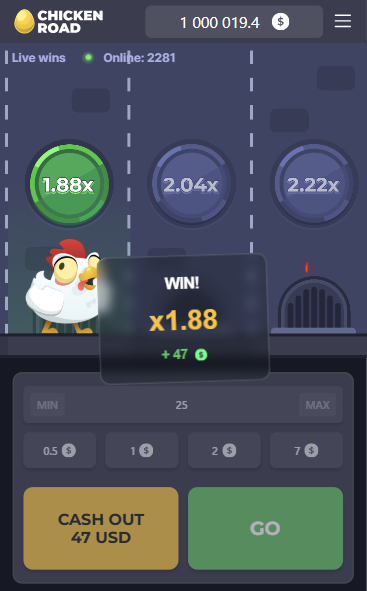
That is correct. The demo mode allows full access to the options menu. Adjust the three volume sliders while the reels spin to check every sound cue without using real funds.
Players who pay attention to the audio layers will notice that each reel stop, win size and bonus trigger is signalled by a distinct musical cue. Modifying the three volume sliders lets you keep the soundtrack supportive rather than distracting, so the next step is simply to start the game, navigate to the settings panel and select the balance that fits your headphones or speakers before you make the first bet.